
WeCom
callback, message, user mapping
Integrations / Channel-neutral Access
NexusClaw treats WeCom, Feishu, DingTalk, Web Chat, API, phone, and Mobile H5 as access channels—not separate AI products. After entry, every request returns to the same identity, routing, permission, execution, audit, and attribution chain.
Integration does not end with a 200 callback. The system must validate signature and workspace, map the real user, preserve conversation context, resolve routing, handle duplicates and failure, and hand off to people when needed.

01 / Channel Entry
Current types span enterprise IM, web, API, and phone. A new channel needs credential metadata and an adapter, not a new customer truth, learning store, or audit system.
callback, message, user mapping
event, encryption, user mapping
callback, bot, user mapping
bot integration type
bot integration type
web session and simulator
controlled programmatic entry
phone and voice entry
Configure WeCom, Feishu, and DingTalk default Agent, session timeout, context size, and sensitive-data policy.
Manage channel-neutral bots, group bindings, Smart Routing, dispatcher, and sanitized access records.
02 / Signature, Identity & Routing
Headless callbacks pass platform protocol validation and bind to the current workspace. External user mapping and session state connect the real caller; Smart Routing selects an employee or dispatcher by explicit priority.
Verify channel signature, token, or encrypted event and reject an unproven source.
Callback, config, mapping, and session must remain in one workspace.
Map the external platform user to platform identity instead of sharing an anonymous principal.
Access records keep direction, route, target, status, and latency—not message body or credential.
Smart Routing order
01 · Requested employee
explicit employee
02 · Exact group
match target group
03 · Default dispatcher
unique default
04 · Smart endpoint
priority match
05 · Dispatcher fallback
controlled fallback
Credential storage
AES-256-GCM · configured fields only
Session evidence
status, target, latency
Sensitive boundary
no body or secret
03 / Conversation & Mobile Continuity
Mobile H5 is not a read-only thumbnail. Workbench, cross-object search, notifications, business objects, and Agent voice entry share the same workspace and business data. WeCom and DingTalk WebViews use a common mobile adapter for scan, location, image, and push capabilities.
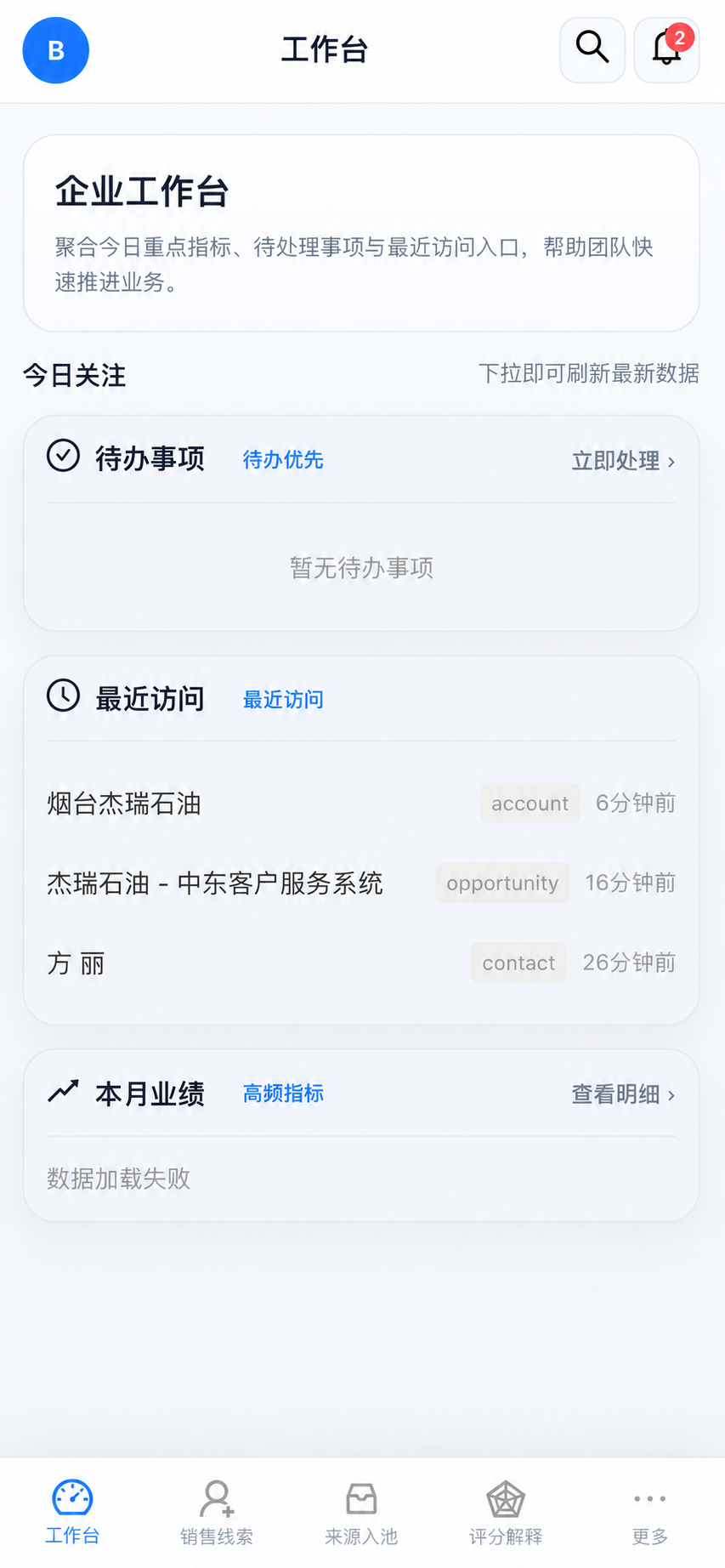
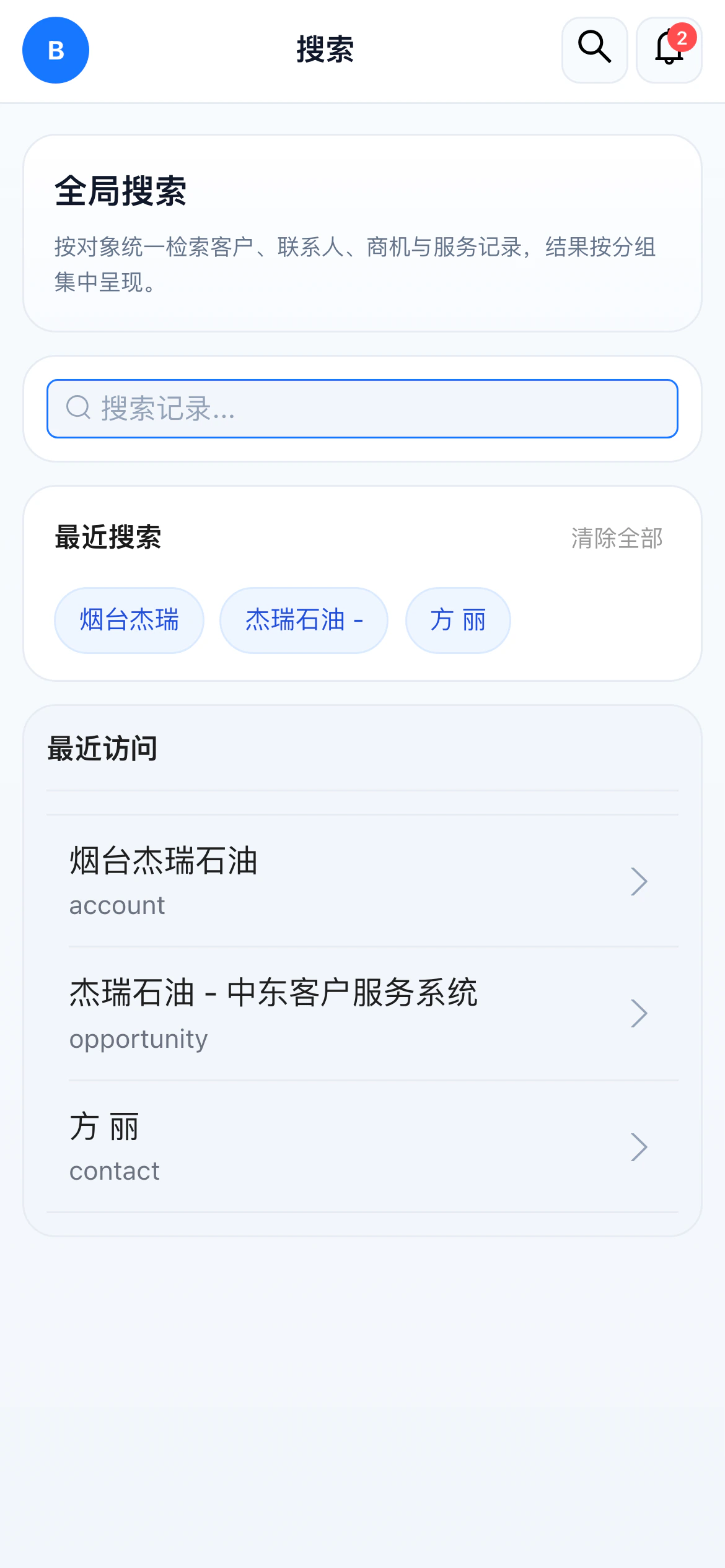
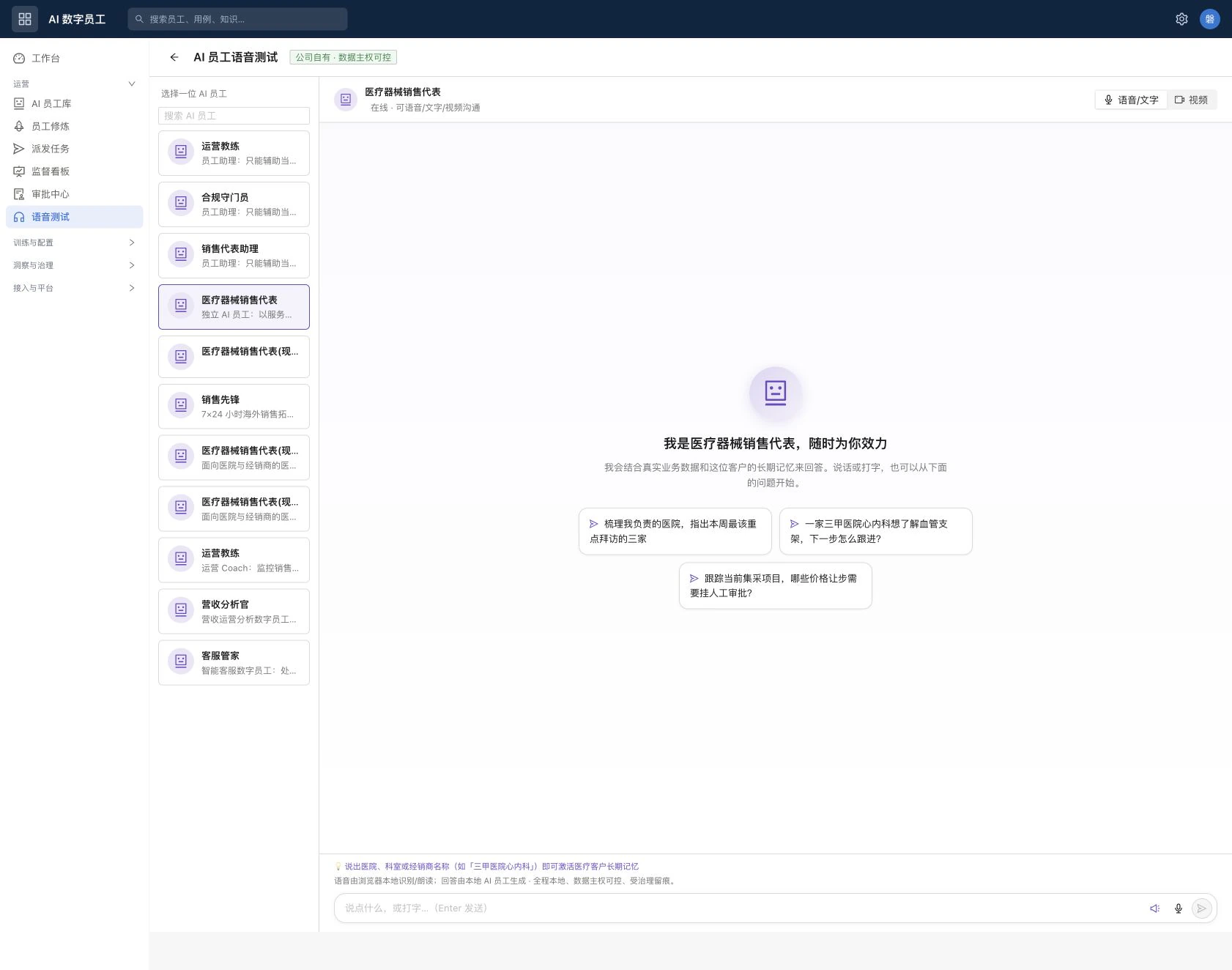
Voice/text and video switching does not create another Agent. Employee identity, long-term memory, permissions, tools, approval, and audit remain consistent; mobile can use text or push-to-talk in the same conversation.
Channel adapter
Parse platform event
Identity and session
Map the real caller
Smart Routing
Select employee or dispatcher
Controlled execution
Permission, tools, approval
Audit and attribution
Preserve outcome evidence
04 / Failure, Retry & Handoff
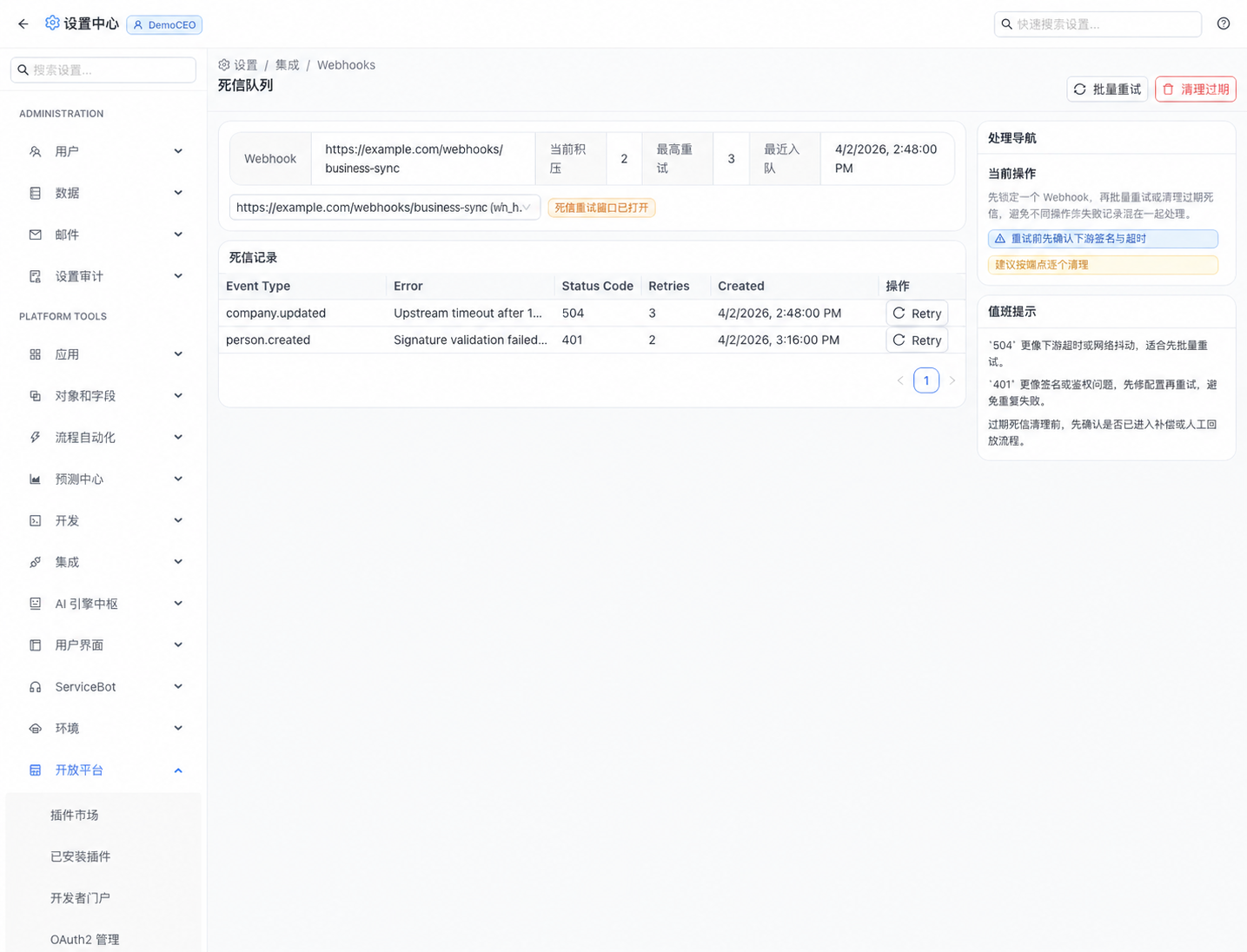
Webhook timeout, signature failure, or upstream outage is not swallowed. The dead-letter queue retains event type, error, status code, retry count, and time, distinguishing retryable failures from configuration defects.
Repair secret or signing configuration; blind retry will not succeed.
After network and downstream health recover, retry by policy.
Use platform event identity and idempotency boundaries to prevent duplicate actions.
An active session can move to a person with a recorded reason.
Customer Evaluation Checklist
Confirm rejection before the request enters session or Agent context.
Confirm no duplicate business action or reply.
Check record, permission, execution, and audit continuity.
Confirm a diagnosable failure record and explicit transfer to a person.
Channel support depends on the target platform application, permissions, callback network, and credentials. This page does not imply channel-vendor certification. Slack, Teams, Web Chat, API, and Phone Agent are unified integration types; delivery depth is accepted per target platform and project scope.
We will map callback entry, signature and workspace binding, user mapping, Smart Routing, mobile continuity, dead-letter retry, and human-handoff acceptance.