NexusClaw
NexusClawAI-Native CRM / Post-CRM

MCP Support

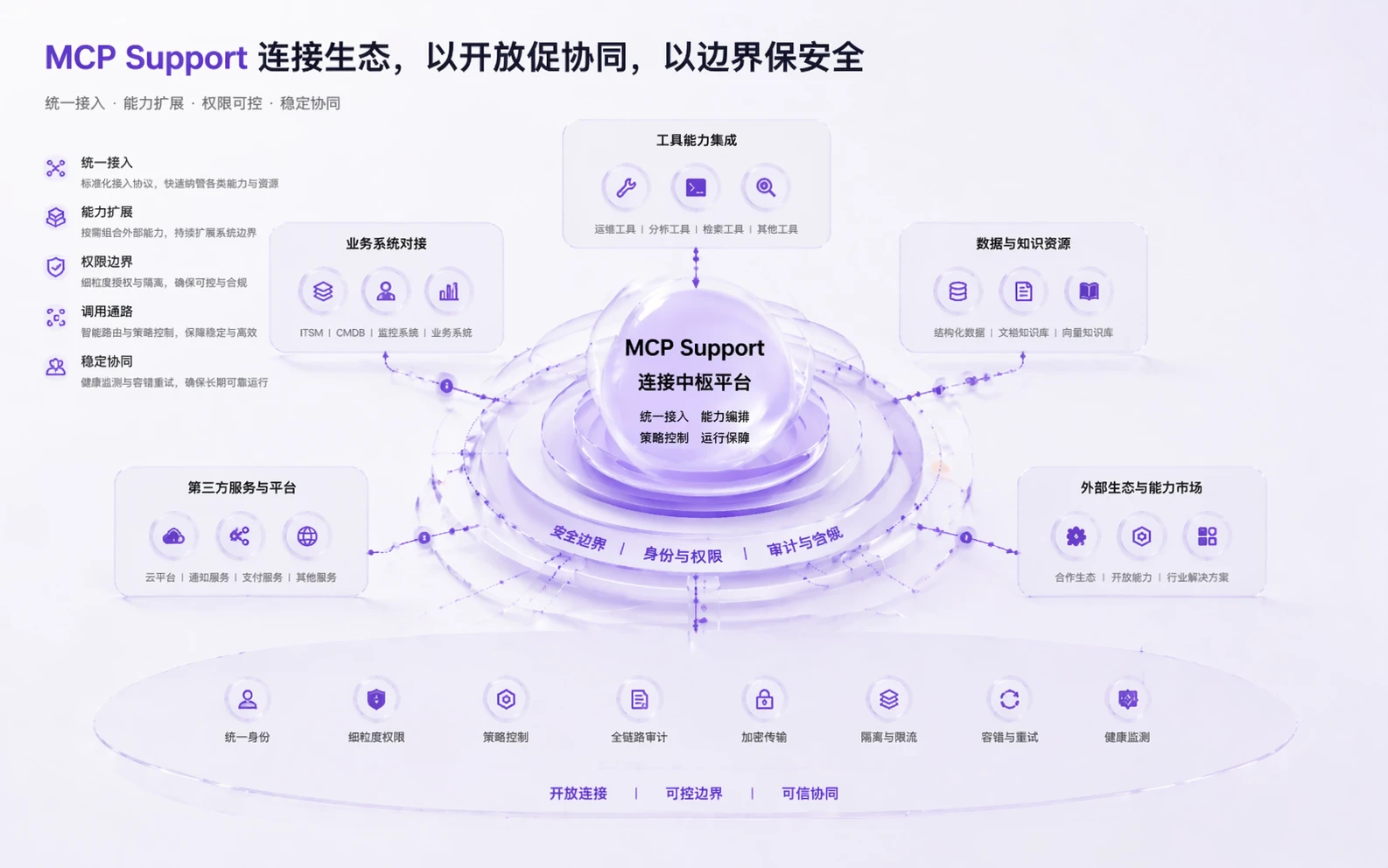
Connect tools, context, and system callsinside one governed runtime boundary

Use a standardized model to bring in external tools, actions, and knowledge while keeping governance consistent as the platform expands.

The enterprise problem is not adding more tools. It is adding them without breaking boundaries, auditability, or maintainability every time.

Tool accessUnified contextConsistent governance
MCP Support capability hero

How it works

How MCP Support works

Bring tools, context, and external system calls into one runtime model so extensibility and governance stay aligned.

01

Connect tools and external actions in one model

Instead of assembling capabilities through scattered plugins, teams can connect tools and system actions through one operating model.

Standardize how tools and actions are connected
Reduce ad hoc plugins and temporary interfaces
Create one structure for how capability gets called
MCP Support step 1

02

Keep context and access boundaries aligned

External connection is not only about whether a call can happen. It is also about what context it carries and what control boundaries still apply.

Bring context and access logic into the same control model
Limit different calls by scope and boundary
Avoid letting integrations bypass governance
MCP Support step 2

03

Keep the platform maintainable as it expands

As more tools, systems, and knowledge sources come in, the platform still needs one coherent operating structure instead of becoming an integration patchwork.

Keep one record and maintenance model
Reduce structural drift as capabilities grow
Turn extension into a platform strength instead of temporary engineering
MCP Support step 3

Extend the platform without breaking the control model

If you care about whether external tools, knowledge, and systems can stay controlled and maintainable after connection, MCP Support becomes a strategic capability page.