NexusClaw
NexusClawAI-Native CRM / Post-CRM

Agent Builder

Configure task-specific agentsaround real business objects

Define agents around customers, leads, cases, workflows, and role rules so they can operate as governed, reusable work units.

This works best when agents start from real business objects and team responsibilities instead of being forced into generic assistant patterns.

Business-object drivenClear task boundariesRoles and permissions built in
Agent Builder capability hero

How it works

How Agent Builder works

Start from business objects, then define context, action boundaries, and operating goals so teams can bring agents into real work systems faster.

01

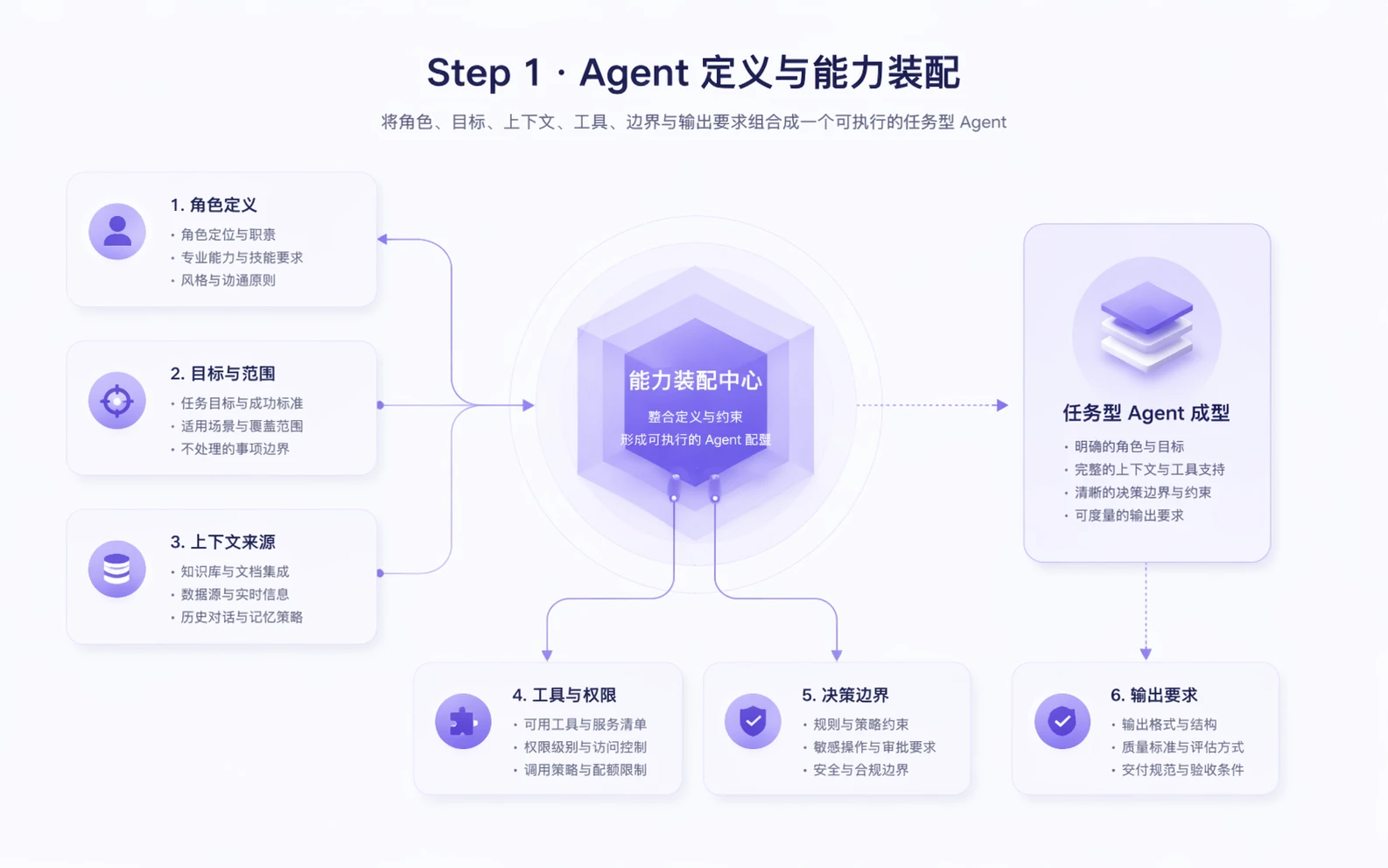
Define agents around real operating objects

Instead of starting from a blank chat box, teams define agents around customers, leads, opportunities, service records, and tasks.

Give every agent a clear operating object
Bring fields, states, and relationships into context
Let each team configure agents around its own workflow objects
Agent Builder step 1

02

Configure context, tools, and action boundaries clearly

Teams can control what agents can read, what they can call, and how far they are allowed to move execution.

Configure approved fields and relationships
Limit tools and system actions
Define writeback and escalation conditions
Agent Builder step 2

03

Turn agents into reusable operating assets

When agents exist as task units, revenue, service, and operations teams can create reusable patterns instead of rebuilding from scratch.

Save task templates by team
Reuse configurations by scenario
Keep one entry point for ongoing iteration
Agent Builder step 3

Turn an agent idea into a governed work unit teams can actually run

If you are evaluating how to configure agents around business objects, define action boundaries, and move them into live workflows, Agent Builder is the right starting page.